Self-Order Kiosks
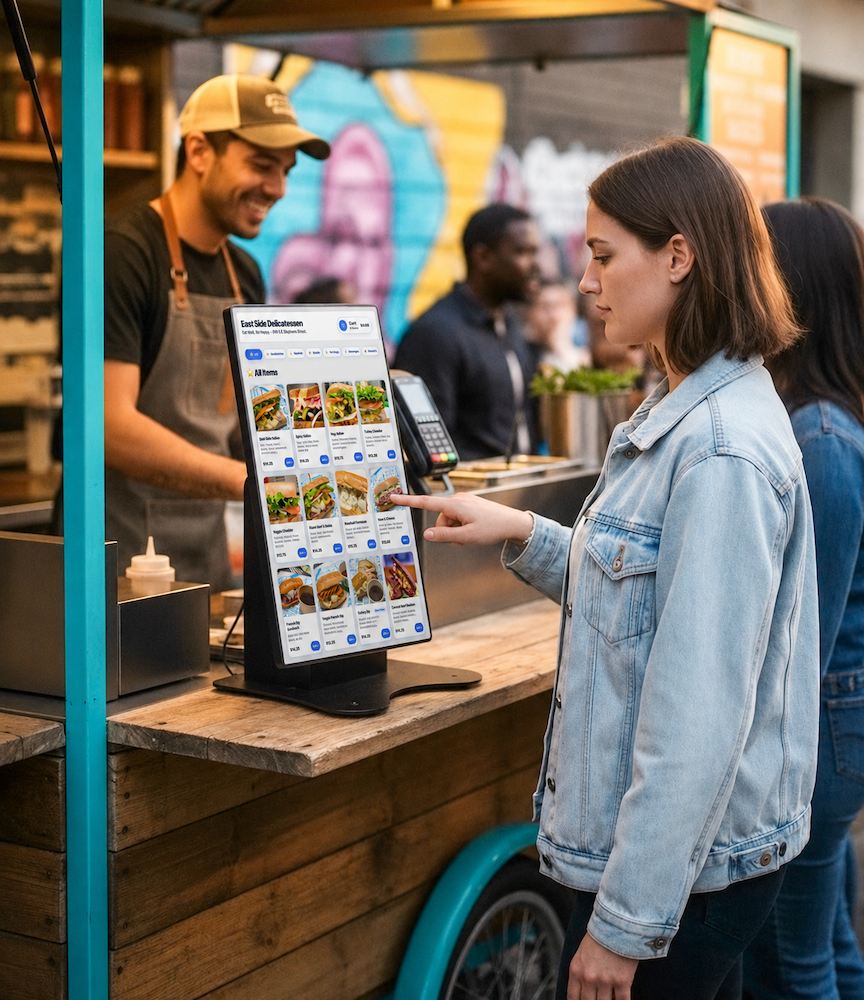
The guest-facing centerpiece: visual menus, photos, modifiers, add-ons, notes, upsells, and a simple checkout that sends every order straight into your operation.
Give guests a fast, intuitive self-order experience, then keep the POS, online ordering, kitchen, payments, staff, and reporting working from the same system.
Kiosk First
Fast, visual self-ordering
Always Connected
POS, online & kitchen
Built to Grow
Staff, reports & locations
A kiosk is only the beginning.
Every kiosk order flows directly into the same system your counter, kitchen, staff, and owners use every day.
The kiosk is the front door
The self-order kiosk is built to move the line faster and make ordering easier. The same menu, modifiers, availability, and order details stay connected across the counter and online ordering.
Upload a menu image, let AI organize the details, then review everything before it becomes part of your Eatery Kiosk menu.
Upload your menu
Use a clear menu photo.
AI builds the draft
Categories, items, prices, ingredients, and modifiers.
Review before import
Adjust the draft, then create your menu package.
The guest-facing centerpiece: visual menus, photos, modifiers, add-ons, notes, upsells, and a simple checkout that sends every order straight into your operation.
Take staff-assisted orders from the same menu and keep cash, card payments, receipts, order lookup, refunds, and same-day voids alongside kiosk activity.
Extend the same ordering experience beyond the restaurant with a branded pickup menu, photos, modifiers, notes, and scheduled orders that arrive in the same order flow.
Secure terminal and online card payments alongside clearly tracked cash sales and payment statuses.
Open a connected cash drawer for cash orders and print clean customer and kitchen receipts.
Let customers choose a pickup time while keeping future orders organized for the restaurant team.
Kitchen & guest communication
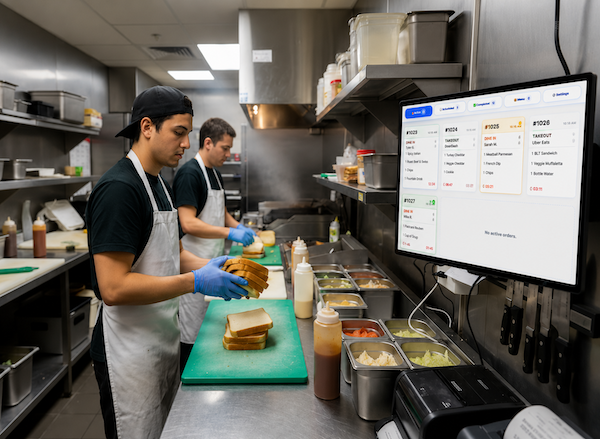
Kiosk, counter, and online orders arrive in one organized workflow so the kitchen, front counter, and guest stay on the same page until pickup.
Active and scheduled orders organized for the team.
Kitchen tickets can print when orders arrive or when scheduled prep begins.
Send guests SMS and email updates when their online order is ready.
Show preparing and ready orders on a dedicated guest-facing screen.
Staff & management
While the kiosk serves guests, managers can run menus, staff, tips, sales, payments, locations, and day-to-day decisions from the connected system behind it.
Create staff profiles and give team members the right access for their restaurant role and location.
Let employees clock in and out at the POS while managers review daily time-clock activity and hours.
Plan staff shifts and keep an easy-to-read schedule alongside the rest of restaurant operations.
Track tips by staff member, review daily totals, and print individual tip payout summaries.
Review sales, paid cash and card totals, payment status, recent orders, and historical activity by date.
Run locations with their own menus, hours, devices, printers, payment settings, and ordering links.
More than a kiosk
Manage the menu guests see at the kiosk, then keep devices, order history, online ordering links, payment settings, and every location aligned from one command center.
View All FeaturesCategories, pricing, choices, add-ons, special instructions, photos, and availability controls.
Kiosks, POS, kitchen screens, printers, cash drawers, terminals, and lobby displays.
Location-specific ordering links with menu imagery for a stronger shared preview.
Restaurant administration, verified account access, and archived-account control.

Customer Story
Everyone at East Side DeliIntegrating the Eatery Kiosk has been a transformative experience for our quick-service restaurant. It immediately solved our biggest challenges with long lines and order inaccuracies, empowering customers to browse and place their own orders with a seamless and intuitive interface.
This has not only led to an increase in add-on sales, but has also allowed our staff to focus on food preparation and customer service, significantly boosting morale and efficiency. The entire Eatery Kiosk system has truly made our business faster, more accurate, and ultimately more profitable.
Less juggling. More control.
Start with a better self-order experience, then connect the counter, kitchen, online orders, payments, staff, and reporting around it.